

I have never been someone who lets physical mail pile up. My pantry has labeled jars and my daughter’s playroom has bins for everything. My Google Drive is another matter entirely.
For 14 years, Drive has absorbed docs, spreadsheets, presentations, PDFs, images, screenshots, downloaded files, drafts and more. I keep paying Google for storage because there is no way I could fit the accumulated mess into 15GB. Right now, my Drive holds about 340GB of data, and inside it are folders and loose files going back more than a decade.
Key facts
- The new Organize My Files feature uses Gemini to suggest ways to clean Google Drive.
- It can propose moving loose files into existing folders, or creating new folders for related files.
- Users review and approve suggestions before anything changes.
- The feature is available for Google Workspace and Google AI subscribers with smart features enabled.
- One user’s 14-year, 340GB Drive received just 19 suggestions, mostly for recent files.
- The tool misidentified a file called ‘Delete’ as a travel planning item and did not offer any deletion suggestions.
- Running the tool again produced the same suggestions in about 30 seconds.
Why AI cleanup became appealing
I use Apple hardware for much of my personal life. I’ve owned an iPhone since 2007 and a Mac for even longer. iCloud Photos and iCloud Drive are part of my daily workflow, and I pay $10 per month for 2TB of iCloud+ because I need space for about 40,000 photos and 488GB of data. Google is just as important. I use Google Workspace apps for work and everyday tasks. After 14 years, the combination of Docs, Sheets, Slides, Gmail and uploads has turned my Drive into a separate 340GB storage burden.
I pay $20 per month for Google AI Pro, which provides 5TB of total storage and access to Gemini. I also pay $20 per month for ChatGPT Plus. Add the iCloud plan, and the monthly cloud and AI bills start to feel heavy. I have thought about cutting some subscriptions, but I cannot eliminate Google Drive storage because my files are too important to abandon and too large to export casually.
Why privacy mattered
The obvious solution seemed to be connecting an AI assistant to Drive and letting it sort things out. My hesitation was privacy. Drive contains not just casual documents but also a house deed, a copy of my will, and LLC business details. Giving a random third-party service broad access to that information felt dangerous. I had almost written off the idea until Google announced Organize My Files, which is native to Drive. That changes the calculus, at least for Google Workspace subscribers willing to enable smart features.
What Organize My Files does
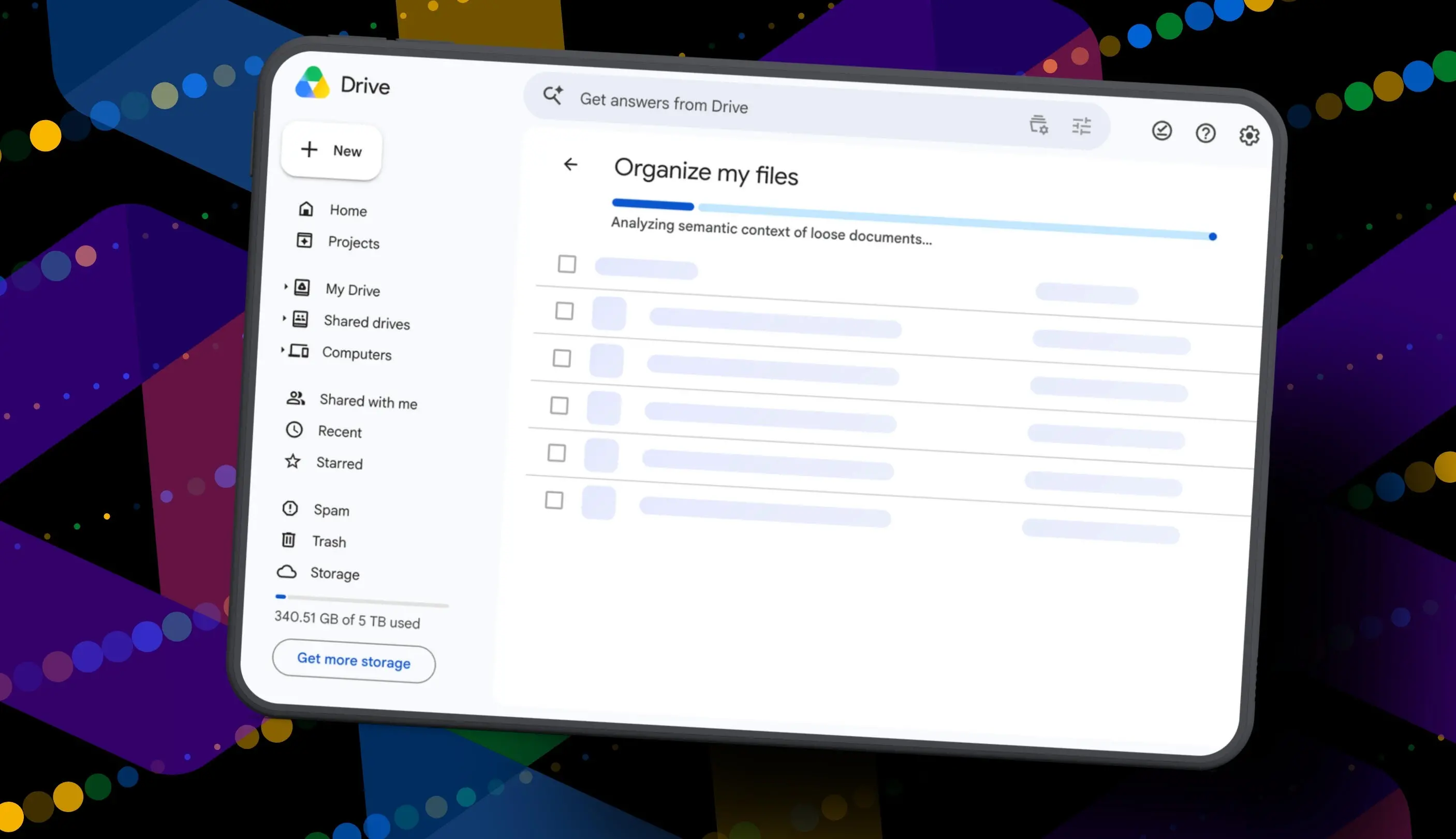
Organize My Files is a small but promising feature. Google says it appears in My Drive and in parent folders. The tool analyzes loose files and makes two kinds of suggestions: move a file into an existing folder, or create a new folder for several related files. It does not automatically execute anything. Files are only moved after the user selects and approves the changes.
Finding the feature
To use it, log in to a supported Google account, open Drive in a browser, and go to My Drive. At the top of the file list, a new button should appear with the label ‘Suggest File Moves’. Google notes that Workspace smart features must be enabled, and the option is currently limited to Workspace and Google AI subscribers.
Clicking that button opens the Organize My Files window. Gemini then starts scanning loose files in that view. After a short wait, suggestions appear. Each suggestion either points at an existing folder or proposes a new folder name. The user can preview files using hovercards or open them in a new tab.
Approving changes
The approval screen includes checkboxes for each suggested file or folder. I could select, deselect, or rename anything. The destination folders were also editable. That control is valuable because no AI will understand every personal file. Once I approved a batch, the moves happened in one go and Drive returned to normal view.
What happened in my test
After the analysis completed, Gemini surfaced 19 suggested moves. Nineteen, out of years of accumulated clutter. This was my first reality check. Instead of sweeping through hundreds of files, the tool mostly looked at recent documents I had created or uploaded. It ignored older files that had cluttered my Drive for years.
Some suggestions made sense. Gemini noticed my resume plus resumes I had helped family members create, and suggested moving them into an existing resume folder. It also proposed creating a ‘Family and Real Estate’ folder for house deed paperwork, which was relevant. Another new folder called ‘Travel Planning’ collected itineraries for an upcoming trip. I liked these ideas, and they were easy to approve.
Then came a clear example of AI’s limitations. One file in the travel planning group was literally titled ‘Delete’. It was a document I had saved as a note to myself to delete it later. Gemini treated that text as a signal about the file’s topic, not its purpose. It grouped the file under Travel Planning. Worse, the tool never suggested deleting obvious trash, removing duplicates, or clearing old downloads.
I approved the suggestions and then ran the feature a second time out of curiosity. About 30 seconds later, it presented the exact same list: the same file moves, the same new folder names, the same changes it had just made. It did not say ‘everything is clean’. It did not move on to other untouched files. That was strange and a bit disappointing.
The limits of an AI filing assistant
This tells me Organize My Files is still a narrow utility rather than the comprehensive cleanup assistant many Drive users need. It might be useful for someone who leaves files at the root of My Drive and needs help clearing the top level. But it did not feel ready for someone with 14 years of nested folders, duplicate downloads, and orphaned documents. My Drive has potentially thousands of folders. Working through each parent folder one by one could take hours, and the rerun results suggest the same files would get recommended again rather than deeper finds.
What could make it better
Google could improve the tool by making Gemini scan stale and old files more aggressively, by recognizing files that look like duplicates, by identifying obvious deletions, and by offering organizational insights beyond simple moves. It should also learn from approved changes so a second run feels new. An AI cleaner should not repeat itself repeatedly or reclassify a file called ‘Delete’ into a vacation folder.
There is real value in having a native AI tool that can at least do light tidying without handing a third party the keys to personal documents. For smaller and newer Drive accounts, Organize My Files may actually be a convenience. For long-term users with huge amounts of clutter, it feels more like a first step than a finished product. Google has a lot of context to work with, and the feature just left beta, so improvements may arrive.
For now, my Drive remains as cluttered as ever, and I continue to pay for Google AI Pro storage. I learned that the tool can suggest a few decent moves, but it is not yet a digital Marie Kondo. It gives me enough hope to run the feature occasionally, and enough skepticism to know that a single session will not fix years of digital neglect.
Source:ZDNET News